SQS (Simple Queue Service)
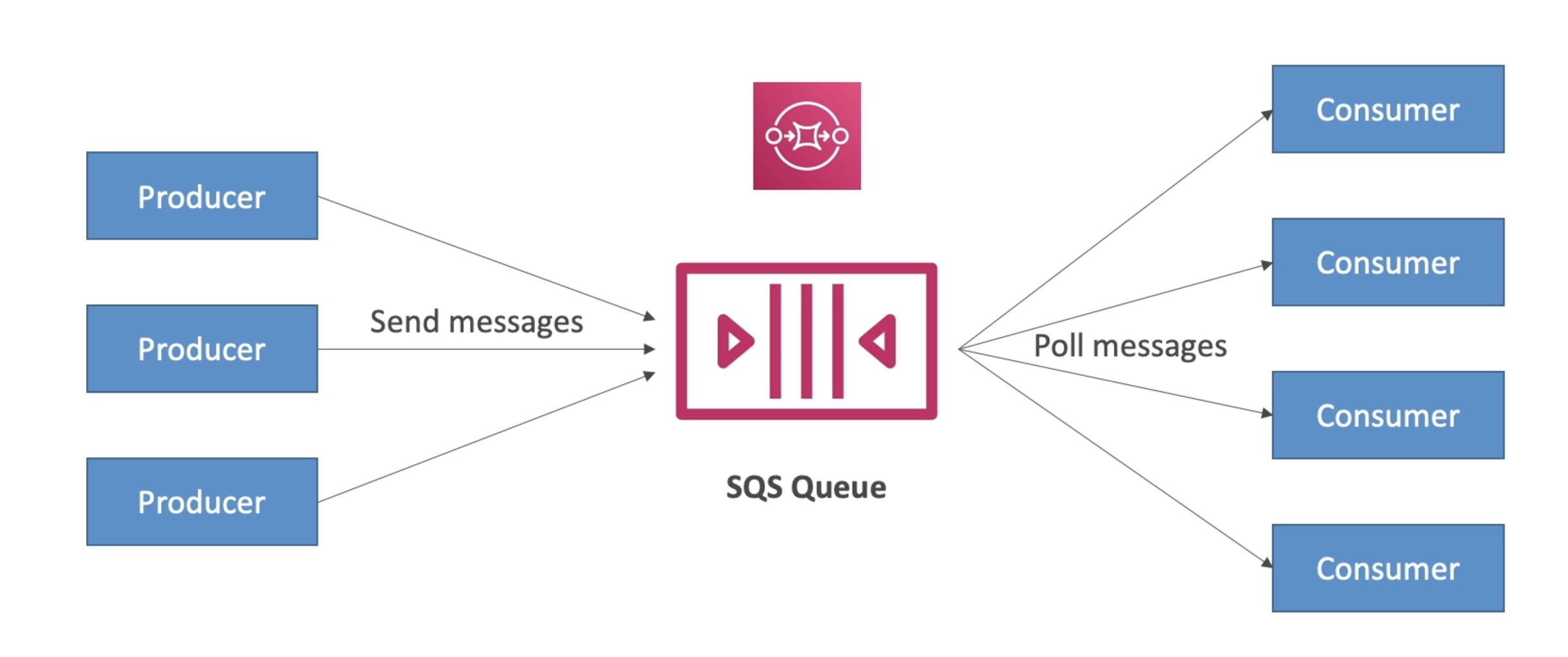
- Oldest AWS offering (over 10 years old)
- Fully managed service (~serverless), used to decouple applications
Standard Queues
Attributes
-
Unlimited throughput, unlimited number of messages in queue
-
Default retention of messages: 4 days, maximum of 14 days
-
Low latency ( less 10 ms on publish and receive)
-
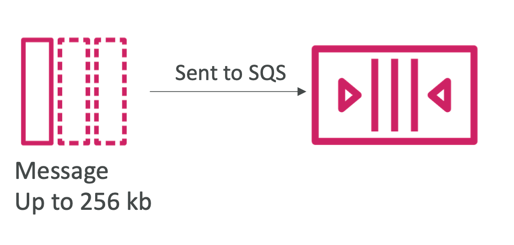
Limitation of 256KB per message sent
-
Can have duplicate messages (at least once delivery, occasionally)
-
Can have out of order messages (best effort ordering)
Producing messages
- Produced to SQS using the SDK (SendMessage API)
- The message is persisted in SQS until a consumer deletes it
- Message retention: default 4 days, up to 14 days
- Example: send an order to be processed
- Order id
- Customer id
- Any attributes you want
- SQS standard: unlimited throughput
Consuming messages
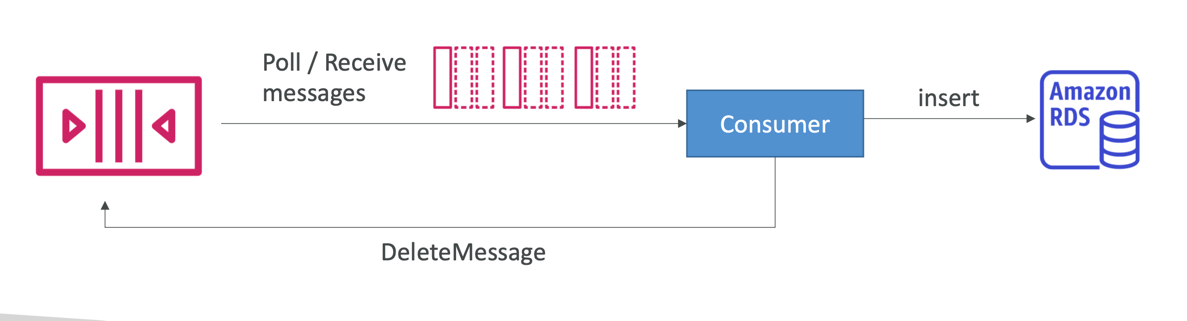
- Consumers (running on EC2 instances, servers, or AWS Lambda)…
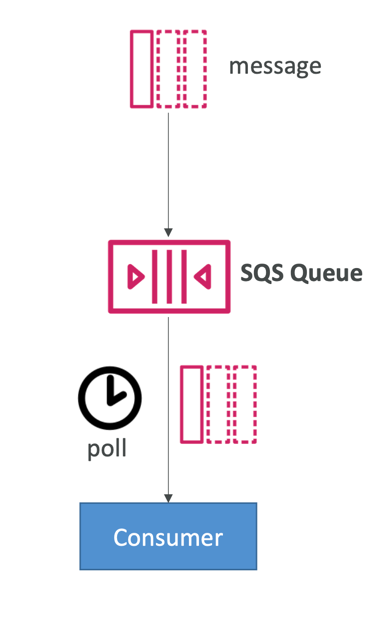
- Poll SQS for messages (receive up to 10 messages at a time)
- Process the messages (example: insert the message into an RDS database)
- Delete the messages using the DeleteMessage API
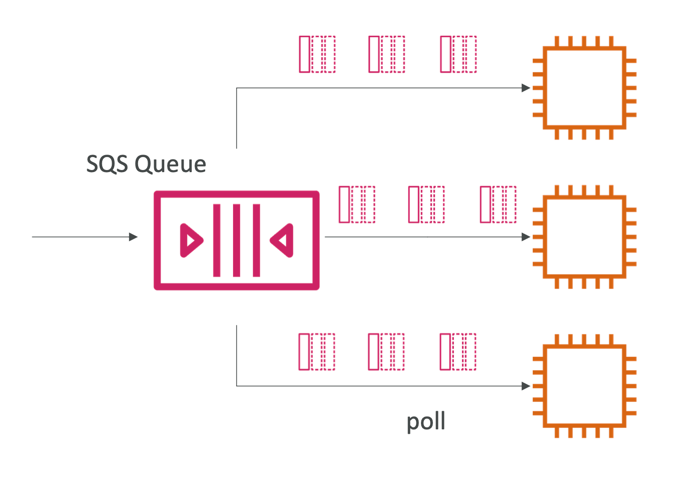
Multiple EC2 Instances Consumers
- Consumers receive and process messages in parallel
- At least once delivery
- Best-effort message ordering
- Consumers delete messages after processing them
- We can scale consumers horizontally to improve throughput of processing
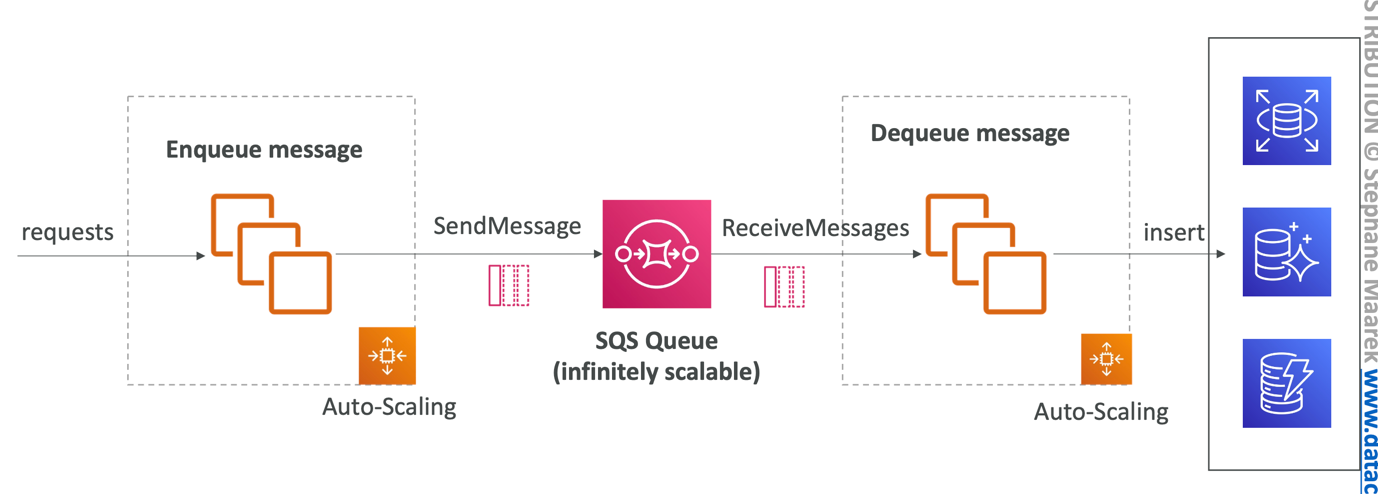
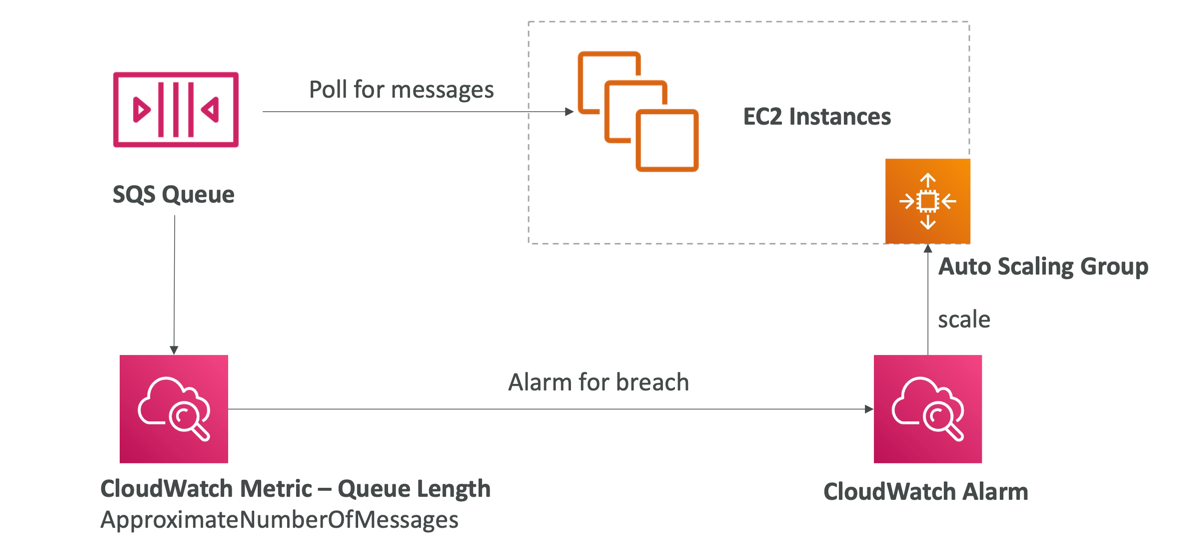
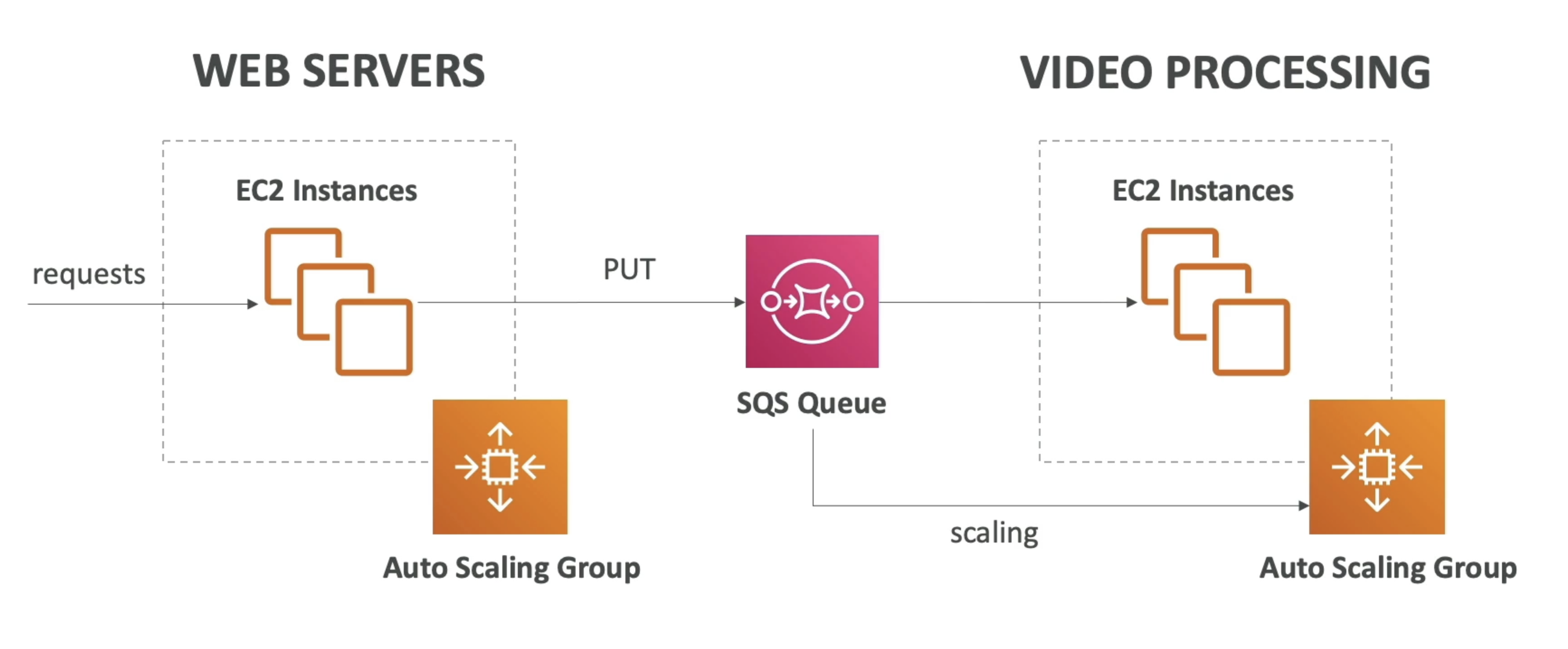
SQS with Auto Scaling Group (ASG)
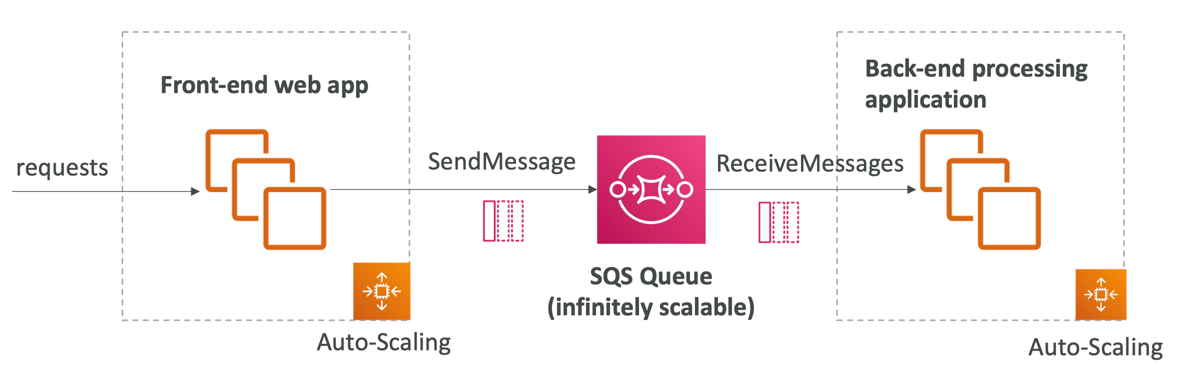
SQS to decouple between application tiers
Security
- Encryption:
- In-flight encryption using HTTPS API
- At-rest encryption using KMS keys
- Client-side encryption if the client wants to perform encryption/decryption itself
- Access Controls: IAM policies to regulate access to the SQS API
- SQS Access Policies (similar to S3 bucket policies)
- Useful for cross-account access to SQS queues
- Useful for allowing other services (SNS, S3…) to write to an SQS queue
Message Visibility Timeout
- After a message is polled by a consumer, it becomes invisible to other consumers
- By default, the “message visibility timeout” is 30 seconds
- That means the message has 30 seconds to be processed
- After the message visibility timeout is over, the message is “visible” in SQS
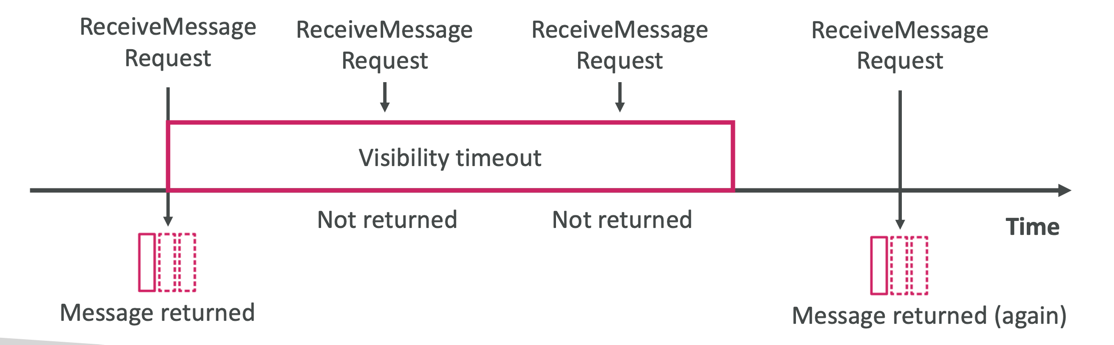
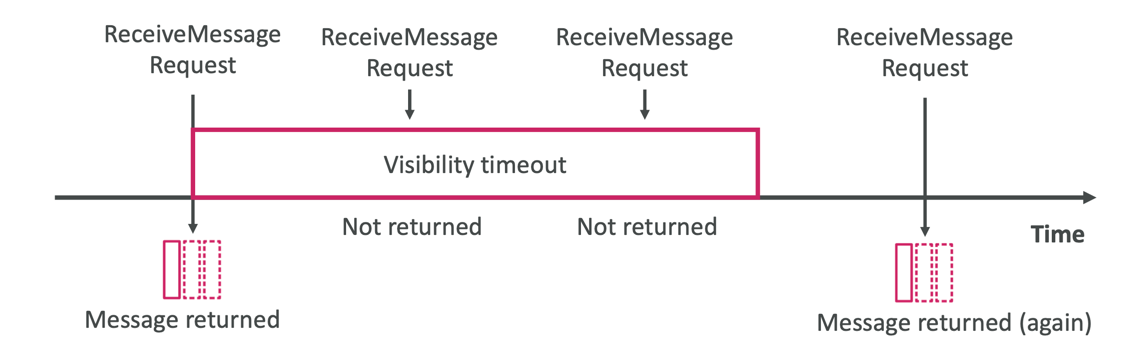
- If a message is not processed within the visibility timeout, it will be processed twice
- A consumer could call the ChangeMessageVisibility API to get more time
- If visibility timeout is high (hours), and consumer crashes, re-processing will take time
- If visibility timeout is too low (seconds), we may get duplicates
Long Polling
- When a consumer requests messages from the queue, it can optionally "wait" for messages to arrive if there are none in the queue
- This is called Long Polling
- LongPolling decreases the number of API calls made to SOS while increasing the efficiency and reducing latency of your application
- The wait time can be between I sec to 20 sec(20 sec preferable)
- Long Polling is preferable to Short Polling
- Long Polling can be enabled at the queue level or at the API level using WaitTimeSeconds
Decoupling applications
FIFO Queues

- Limited throughput: 300 msg/s without batching, 3000 msg/s with
- Exactly-once send capability (by removing duplicates using Deduplication ID)
- Messages are processed in order by the consumer
- Ordering by Message Group ID (all messages in the same group are ordered) – mandatory parameter
SQS as a buffer to database writes